
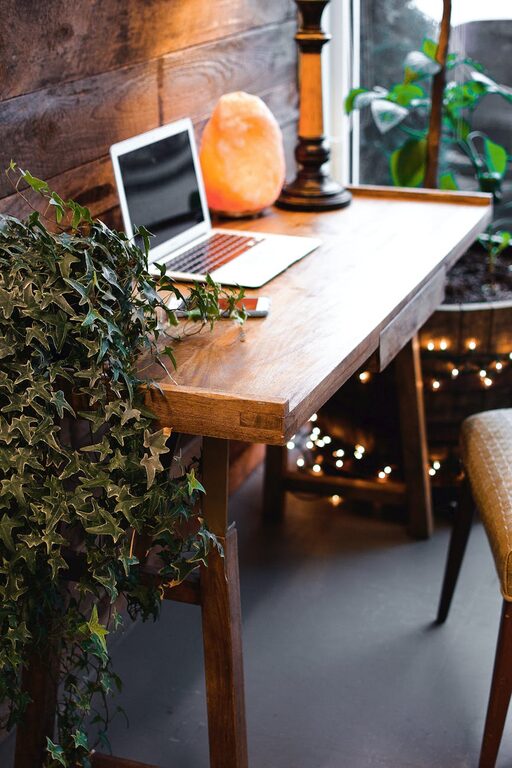
Creating a cozy and functional home workspace is essential for anyone who spends significant time working from home. Whether you’re a freelancer, remote employee, or just need a dedicated area for managing personal tasks, a well-designed workspace can boost productivity while keeping you comfortable.
In this post, we’ll explore practical tips to help you design a workspace that meets both your comfort and efficiency needs.
Choose the Right Location
Selecting the ideal spot for your workspace is the foundation of a productive home office.
– Natural Light: Try to position your desk near a window to take advantage of natural light. It can enhance your mood and reduce eye strain.
– Quiet Area: Choose a space with minimal noise and distractions. This helps maintain focus during work hours.
– Ventilation: Ensure the space is well-ventilated to keep the air fresh and the environment comfortable.
If space is limited, consider using a corner, a niche, or even a section of your living room or bedroom, but be intentional about clearly defining the workspace area.
Invest in Comfortable and Ergonomic Furniture
Your furniture plays a huge role in both comfort and productivity.
– Desk Size: Choose a desk that fits your equipment and offers enough surface area for writing or organizing paperwork.
– Ergonomic Chair: Invest in a chair with adjustable height, lumbar support, and comfortable padding. Good posture reduces fatigue and prevents back pain.
– Adjustable Desk Options: If possible, consider a sit-stand desk or a desk converter. Changing positions throughout the day can improve comfort.
Organize with Purpose
Clutter-free spaces promote better focus and efficiency. Implement smart organization practices:
– Storage Solutions: Use shelves, cabinets, or filing cabinets to keep documents and supplies neatly stored.
– Desk Organizers: Trays, pen holders, and drawer dividers help keep everyday supplies within easy reach and prevent mess.
– Cable Management: Use clips, sleeves, or cable boxes to manage cords and avoid tangles.
Regularly declutter your workspace to maintain a tidy environment.
Personalize Your Space
Adding personal touches can make your workspace feel more inviting and motivate you to spend time there.
– Plants: Small houseplants not only add color but can improve air quality.
– Artwork or Photos: Hang inspiring art or photos that bring you joy.
– Soft Textiles: A cozy throw or a cushioned seat pad can make your workspace more comfortable.
– Lighting: Consider a desk lamp with adjustable brightness to complement natural light and reduce eye strain during darker hours.
Optimize Lighting
Good lighting is essential to reduce fatigue and increase productivity.
– Layer Your Lighting: Combine natural light with ambient lighting and task lighting. A combination helps reduce shadows and glare.
– Avoid Screen Glare: Position your monitor perpendicular to windows or use blinds to control brightness.
– Warm Light Tones: Using warm or neutral tones can create a cozy atmosphere, while cooler tones may help keep you alert during work.
Establish Boundaries and Routine
A cozy and functional workspace isn’t just about layout—it’s also about mindset.
– Set Work Hours: Define clear start and finish times to separate work from personal life.
– Use Physical Boundaries: If possible, close doors or set up room dividers to create a clear work zone.
– Create a Morning Routine: Start your workday with rituals like coffee or a brief stretch to prepare mentally for focused work.
Incorporate Technology Wisely
Technology powers your productivity but can also contribute to distractions if not managed well.
– Reliable Equipment: Ensure your computer, internet connection, and other devices are up to date and functioning efficiently.
– Ergonomic Accessories: Use external keyboards and mice to reduce strain.
– Noise Control: Consider noise-cancelling headphones if your environment is noisy.
Maintain Comfort with Temperature and Air Quality
Physical comfort affects your ability to focus.
– Temperature Control: Use fans, heaters, or air conditioning to keep the room comfortable year-round.
– Air Quality: Open windows when possible or use air purifiers to ensure fresh air.
Final Thoughts
Designing a cozy and functional home workspace is all about balancing comfort with productivity. By choosing the right location, investing in ergonomic furniture, staying organized, and personalizing your space, you can create an environment that supports your best work and well-being.
Remember, your workspace should evolve with your needs, so don’t hesitate to make adjustments as you discover what works best for you.